
This article expands on my LinkedIn post. Follow me there for shorter, day-to-day notes.
As AI development moves towards agent-based systems, a new vocabulary has arrived with it: agent, main agent, orchestrator, sub-agent, tool, workflow, GSD. These words appear in documentation, conference talks and job descriptions, often without anyone stopping to explain them.
I created a simple cheat sheet (and a short YouTube video, linked from my LinkedIn post) to help developers and AI enthusiasts understand the difference quickly. This article is the long-form version: what each term means, how the pieces fit together, the code patterns that let you recognise them in a real project, and the practical lessons I've learned using agents in my own development work.
No PhD required. If you can picture a small project team, you can understand agentic AI.
Why AI agents feel confusing
Part of the confusion is that the same model can play every role. A large language model like Claude can be a chat assistant, a coding agent, a planner or a reviewer. The difference is not the model, it's how it's set up: which instructions it gets, which tools it can use, and who it reports to.
The other part is that people use the words loosely. "Agent" can mean anything from a single prompt with a search tool to a fleet of coordinated AI workers. So let's define each term precisely, then put them together.
The cheat sheet: five building blocks of agentic AI
Here is the cheat sheet in one view:
| Agent | Handles a task using a model, instructions and tools. |
|---|---|
| Main agent / orchestrator | Coordinates the overall project and delegates work. |
| Sub-agent | Focuses on a specific task such as security, performance or testing. |
| Tool | Performs a specific operation, such as reading files, searching code or running tests. |
| GSD / workflow | Structures the process from planning and execution through verification and completion. |
Now let's unpack each one.
1. What is an AI agent?
An AI agent is a language model that can act, not just answer. It combines three ingredients:
- A model: the "brain", for example Claude.
- Instructions: a system prompt that defines its role, goals, rules and boundaries.
- Tools: functions it can call to observe and change the world: read a file, run a command, search the web, query a database.
The key difference from a chatbot is the loop. A chatbot answers once. An agent thinks, calls a tool, looks at the result, thinks again, calls another tool, and repeats until the task is done or it needs your input. That loop (reason → act → observe → repeat) is what makes it an agent.
A simple real-world example: you ask a coding agent to fix a failing test. It reads the test file, runs the test to see the error, opens the related source file, edits it, runs the test again, and reports back. Each of those steps is a tool call inside the agent loop.
2. What is a main agent or orchestrator?
As tasks get bigger, one agent trying to do everything hits limits. Its context window fills with details, it loses track of the bigger picture, and the quality drops. The solution is the same one human teams use: a lead who coordinates.
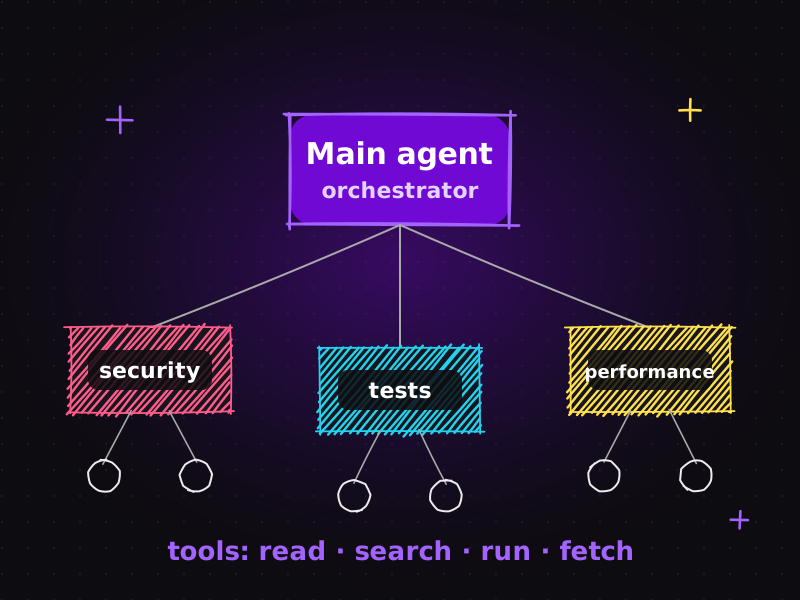
The main agent, often called the orchestrator, owns the overall goal. Its job is to:
- understand the request and break it into sub-tasks,
- decide which sub-tasks can run in parallel and which depend on each other,
- delegate each sub-task to the right specialist,
- collect and check the results,
- and assemble the final answer or deliverable.
Think of it as a project manager or tech lead. It doesn't do all the work itself. It makes sure the right work gets done, in the right order, to the right standard.
3. What is a sub-agent?
A sub-agent is a specialist the orchestrator delegates to. It gets a focused brief, such as "review this change for security issues", "find why the checkout page is slow" or "write tests for the discount module", and a fresh context dedicated to that one job.
Sub-agents bring three big advantages:
| Focus | A narrow role with narrow instructions produces better, more consistent results. |
|---|---|
| Clean context | The sub-agent doesn't carry the orchestrator's entire conversation history, so it isn't distracted by unrelated details. It returns a concise result instead of flooding the main context. |
| Parallelism | Independent sub-tasks can run at the same time, for example a security review and a performance review of the same feature. |
Common sub-agent roles in software projects include security reviewer, performance analyst, test writer, code reviewer, documentation writer and researcher. In SEO work you might see a technical-SEO auditor, a content-quality reviewer and a schema-markup checker working side by side.
4. What is a tool?
A tool is the smallest building block: a single, well-defined operation the model can call. Tools are not intelligent on their own. They are the agent's hands and eyes.
Typical tools in a development agent:
- Read file / write file / edit file
- Search code (find text or patterns across the repository)
- Run command (tests, linters, builds)
- Fetch a web page or call an API
- Query a database
Each tool has a name, a description and defined inputs, so the model knows when and how to use it. Increasingly, tools are exposed through the Model Context Protocol (MCP), an open standard that lets AI applications connect to external systems (issue trackers, design files, databases, documentation) through a common interface. I show a practical example in from Jira issue to working feature with MCP.
A useful mental model: agents decide, tools do.
5. What is a GSD workflow?
The final piece is the workflow, sometimes nicknamed GSD ("get stuff done"). A workflow gives structure to the whole process so agents don't wander. A typical development workflow moves through clear phases:
- Plan: understand the goal, explore the codebase, write a plan.
- Execute: implement the plan step by step, usually via sub-agents.
- Verify: run tests, linters, type checks and builds; review the result.
- Complete: summarise what changed, update documentation, hand back to the human.
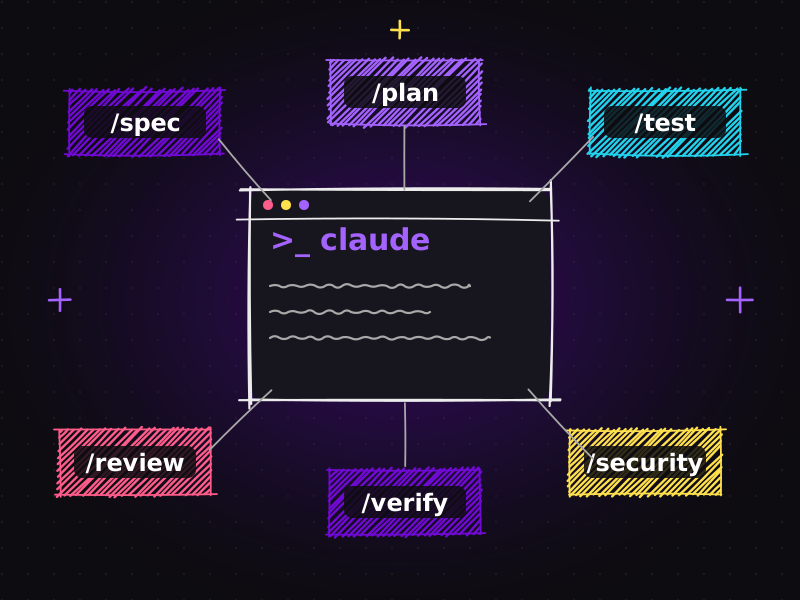
Workflows can be enforced through instructions, through plugins (I cover my favourite ones in Claude Code plugins: turn one AI assistant into an AI engineering team), or through code that calls agents in a fixed sequence.
Without a workflow, even a very capable agent tends to skip planning, skip verification and declare success too early. With a workflow, its output becomes predictable.
How the pieces fit together: a worked example
Let's make it concrete. Imagine you ask an agentic system: "Add a 'free shipping over $50' banner to the WooCommerce cart, and make sure it's fast and secure."
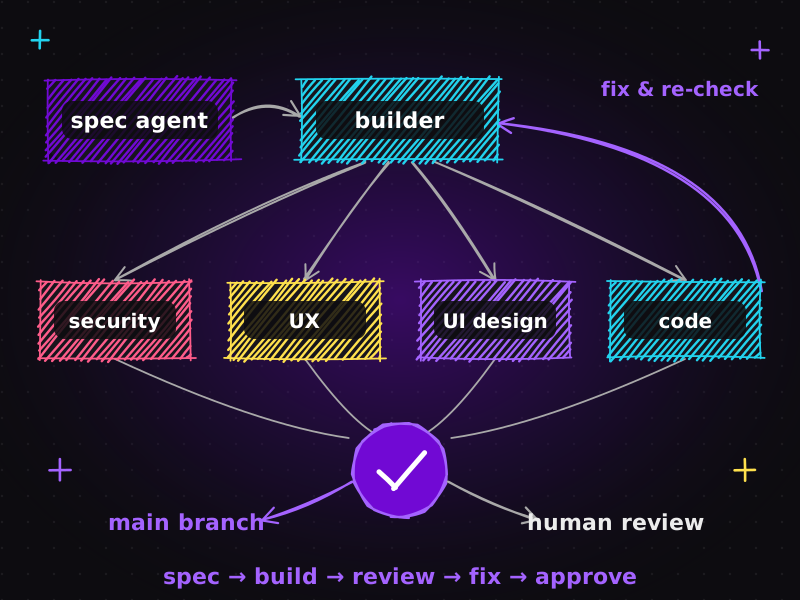
- The main agent reads the request and the project rules, then writes a short plan: find the cart template, add the banner logic, add tests, check performance and security.
- It uses tools to search the codebase for the cart template and existing shipping logic.
- It delegates implementation to a coding sub-agent with a precise brief.
- When the code is done, it launches two sub-agents in parallel: a security reviewer (checking output escaping and input handling) and a performance analyst (checking that no slow queries were added).
- A test sub-agent writes and runs tests, using the run command tool.
- The workflow requires a verification phase: the main agent runs the full test suite and build, and only then marks the task complete.
- Finally, the main agent reports back to you with a summary, the files changed, and anything that needs a human decision.
Notice that the model is the same in every step. What changes is role, context and tools.
Code patterns: how to recognise these components in a project
When you open an agentic AI project, here's how each component usually shows up:
| Agent definitions | Files or objects that combine a system prompt, a model name and a list of allowed tools. Look for keys such as system, instructions, model and tools. |
|---|---|
| Tool definitions | Functions with a name, a description and an input schema (often JSON Schema). The description is written for the model, explaining when to use the tool. |
| The agent loop | A while loop that sends messages to the model, checks whether it requested a tool call, runs the tool, appends the result and loops again until the model returns a final answer. |
| Orchestration | Code where one agent creates tasks for others, often with a task or delegation tool, and gathers their results, sometimes concurrently. |
| Sub-agent configs | Separate definitions per specialist (for example security-reviewer, test-writer), each with a narrow description and limited tools. |
| Workflow structure | Explicit phases or states such as plan, execute, verify, complete, or a checklist the orchestrator must tick off. |
| Persistent instructions | Files like CLAUDE.md that store project rules every agent should follow. |
Once you can spot these patterns, any agent framework becomes much easier to read, whatever library it uses.
Common misconceptions about AI agents
- "More agents = better results." Not necessarily. Every handoff adds coordination cost. Use sub-agents for genuinely separable work, not by default.
- "Agents are autonomous, so I don't need to check." Agents are fast, not infallible. Verification steps and human review remain essential.
- "Tools make the model smarter." Tools make the model capable; instructions and workflow make it reliable.
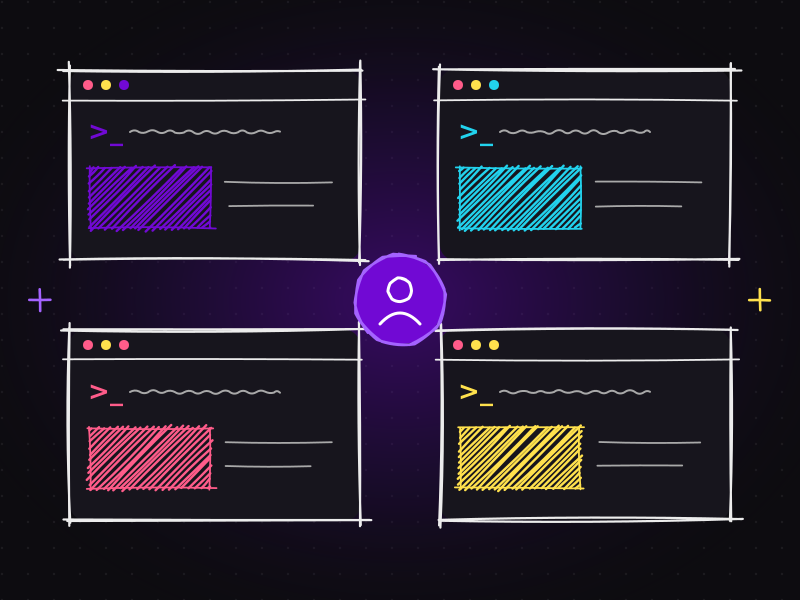
- "Agentic AI is only for big tech." Freelancers and small studios benefit enormously, especially those juggling many client projects, as I explain in how I run multiple Claude projects in parallel.
Practical tips for building with agents
From my own experiments, a few principles consistently help:
| Write narrow sub-agent descriptions | "Reviews PHP and JavaScript changes for injection, XSS and unsafe file handling" beats "security expert". |
|---|---|
| Limit tools per role | A reviewer rarely needs write access. Fewer tools mean fewer surprises. |
| Make verification mandatory | Bake tests, linting and builds into the workflow, not into hope. |
| Keep humans at decision points | Let agents propose architecture; let people approve it. |
| Store rules where every agent can see them | A shared rules file prevents each agent from inventing its own conventions. |
What this means for websites and digital businesses
Agentic AI is more than a developer curiosity. For businesses, it means projects can be planned, built, tested and audited faster, if the process is structured. On client work I use agents to speed up website development, SEO audits and technical fixes, and UI/UX prototyping, while keeping human judgment on design, content and strategy.
If you'd like to understand the bigger journey behind this, from using AI to write code to treating it as part of the engineering process, read from AI-assisted coding to AI engineering.
Frequently asked questions
What is the difference between an AI agent and a chatbot?
A chatbot answers a message once. An AI agent works in a loop: it reasons, calls tools to read or change things, observes the results and repeats until the task is complete. Agents can therefore carry out multi-step tasks such as fixing a bug or auditing a website.
What is the difference between a main agent and a sub-agent?
The main agent, or orchestrator, owns the overall goal, plans the work and delegates. A sub-agent is a specialist that receives one focused task, such as a security review or writing tests, works in its own clean context and returns a concise result to the main agent.
What are tools in AI agents?
Tools are specific operations an agent can call, such as reading a file, searching code, running tests, fetching a web page or querying a database. They are often exposed through the Model Context Protocol (MCP). Agents decide what to do; tools do it.
What does GSD mean in AI workflows?
GSD is shorthand for a "get stuff done" workflow that structures agent work into phases such as plan, execute, verify and complete. It stops agents from skipping planning or verification and makes their output more predictable.
Do small businesses benefit from agentic AI?
Yes. Freelancers and small studios can use agents to plan, build, test and audit projects faster, as long as the workflow includes verification and human decision points. The structure matters more than the size of the team.
Thinking about how AI-assisted development could speed up your next website? Let's talk, or see my pricing for typical packages.

Muhammad Faisal
WordPress developer & SEO expert with 8+ years of experience, now building AI-assisted development workflows with Claude Code, MCP and coding agents. More about me.