
This article expands on my LinkedIn post. Follow me there for shorter, day-to-day notes.
I'm happy to share another milestone in my AI engineering journey: I've completed "AI Coder: Complete Claude Code & Coding Agents Course", a learning journey focused on Claude Code and modern AI-assisted software development, taught by Ed Donner and the Ligency team.
But this post isn't really about a certificate. For me, the course was not simply about learning another AI tool. It changed the way I think about software development with AI. I started the course seeing AI as a faster way to write code. I finished it seeing AI as something that can take part in the entire development process (understanding, planning, building, testing, debugging and improving software) while humans stay responsible for the decisions that matter.
In this article I'll share the ten most important lessons, how I'm applying them to real projects, and what they mean for businesses that hire developers today.
Why I invested in learning AI engineering
I've been building websites for more than eight years: WordPress sites, WooCommerce stores, custom themes, SEO-optimised web solutions and brand identities. Over that time, tools have changed many times: page builders, frameworks, deployment platforms. AI is different. It doesn't just change which tools we use; it changes how work is organised.
Early on, I used AI the way most people do: ask for a function, paste it in, fix what's wrong. Useful, but limited. The results were inconsistent, and the more complex the project, the more time I spent correcting the AI. I wanted to understand how to use AI coding agents properly, as part of a structured, reliable workflow. That's what this course focused on.
The 10 lessons that changed how I build software
1. Work with Claude Code in the terminal, not just the browser
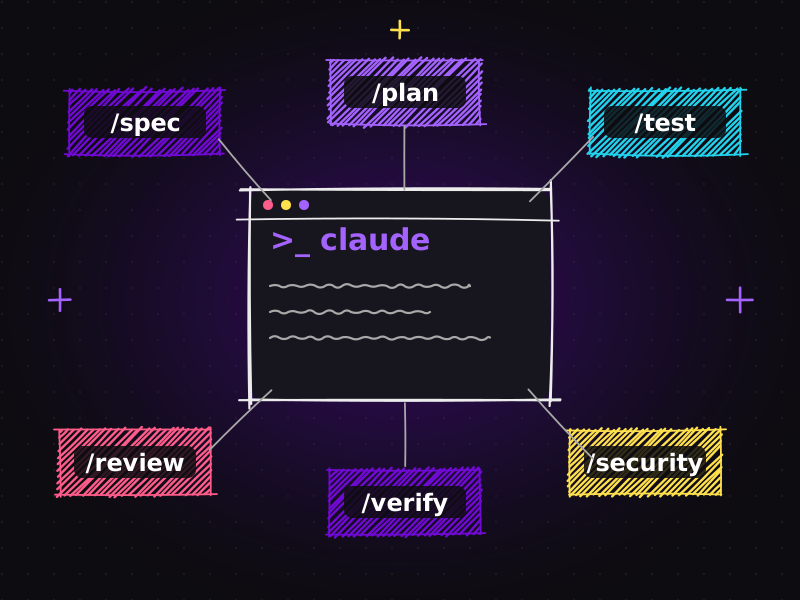
CLI-based AI development is a step change from chat. When Claude Code runs inside your project, it can read files, search the codebase, run commands and edit multiple files directly. The conversation is grounded in your actual code rather than snippets you remembered to paste. The quality of help improves dramatically because the context is real.
2. Understand what makes an AI coding agent an agent
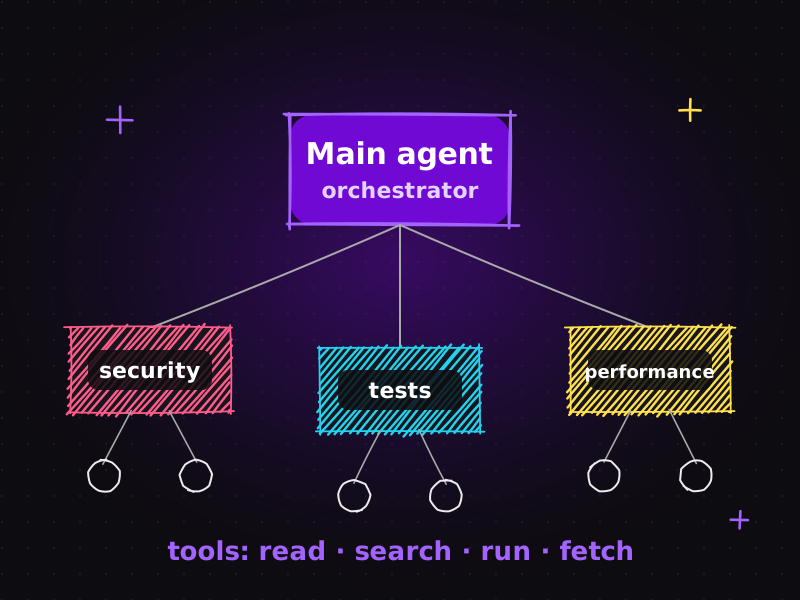
An agent doesn't just answer; it works in a loop: reason, use a tool, observe, repeat. Understanding that loop helps you design better tasks: give the agent a clear goal, the right tools and a definition of "done", and it can carry a task much further on its own. I wrote a plain-English cheat sheet on this: AI agents explained: main agent, sub-agents, tools and workflows.
3. Use persistent project instructions and context
Every session that starts from zero wastes time and invites inconsistency. Persistent instructions, for example a CLAUDE.md file with architecture, conventions, testing commands and security rules, mean the agent works within your project's rules from the first message. This single habit improved my results more than any clever prompt.
4. Structure tasks so AI can understand, plan and execute
Vague tasks produce vague code. The course reinforced a simple structure: describe the goal, the constraints and the acceptance criteria; ask the agent to plan before implementing; review the plan; then let it execute. A few minutes of structure saves hours of rework.
5. Delegate to sub-agents and specialised AI workers
Large tasks benefit from specialists. A main agent can delegate focused work (security review, test writing, performance analysis, documentation) to sub-agents with clean, dedicated context. Results are more focused, and independent work can happen in parallel.
6. Connect AI to real tools with MCP
The Model Context Protocol (MCP) is an open standard for connecting AI applications to external tools and data, such as issue trackers, documentation, design files and databases. With MCP, an agent can read a ticket, check the docs and update status without you copying and pasting between apps. I describe one practical setup in from Jira issue to working feature: an AI agent workflow with Atlassian MCP.
7. Use Git and isolated workflows with AI agents
Git becomes even more important when an AI is making changes. Small branches, clear commits and Git worktrees (separate working copies of the same repository) let agents work in isolation, make experiments safe and make review easy. If something goes wrong, rolling back is trivial.
8. Debug with a disciplined loop: reproduce → root cause → fix → verify
AI is tempted, like many humans, to "fix" symptoms. The course drilled a better loop:
- Reproduce the bug reliably.
- Identify the root cause, not just the line that errored.
- Fix the cause with the smallest sensible change.
- Verify with tests that the bug is gone and nothing else broke.
Asking an agent to follow this loop explicitly produces far better fixes than "this is broken, fix it".
9. Combine automation, verification and agents
Agents are most reliable when they can check their own work: run the tests, the linter, the type checker and the build before claiming success. Automation turns "I think it works" into "it passed". This is the foundation of the plugin-based workflow I describe in Claude Code plugins: turn one AI assistant into an AI engineering team.
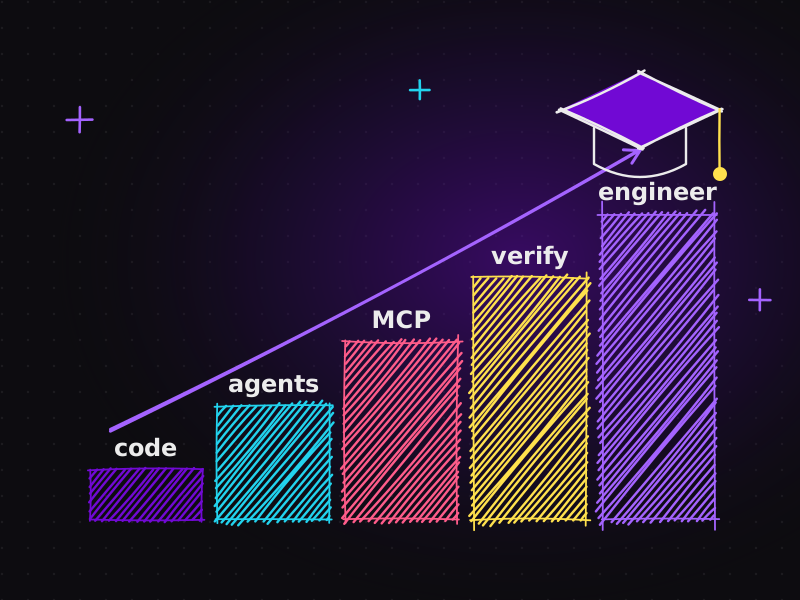
10. Move from asking AI to write code to AI-assisted engineering
The biggest lesson is a mindset shift. Code generation is a small part of software engineering. Requirements, design, testing, verification, security, documentation and maintenance are the rest. AI-assisted engineering means involving AI across that whole lifecycle, with process and not just prompts.
What changed for me
Previously, I looked at AI mainly as a tool that helps developers write code faster.
Now I see a much bigger opportunity: AI can become part of the entire software development process. It can help understand an unfamiliar codebase, turn a request into a specification, propose an architecture, implement it, test it, review it and document it.
But the course was equally clear about the other half of the equation: humans remain responsible for the important decisions. Architecture, trade-offs, business logic, user experience and final quality are human judgments. AI makes those judgments better informed and faster to act on. It doesn't replace them.
How I'm applying this to real projects
I'm now applying these concepts to my own projects and experimenting with workflows that combine Claude Code, Codex, Cursor, MCP, Git worktrees, automation and multi-agent development. In day-to-day client work, that looks like:
- Specs before code for every feature, shared with clients where useful.
- CLAUDE.md rules in every repository, so standards stay consistent across projects.
- Automated verification: tests, linting and builds run before anything is reviewed.
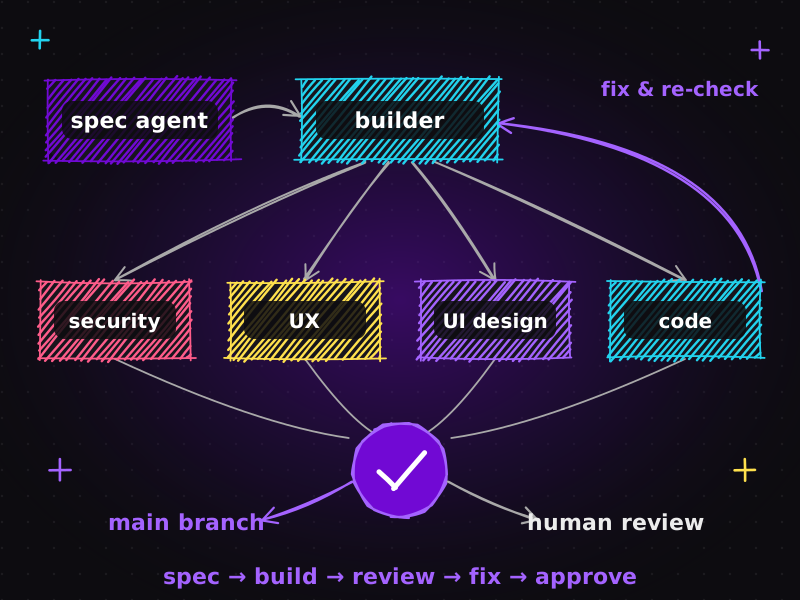
- Sub-agents for reviews: code quality, security and performance checks on every meaningful change.
- Parallel sessions for different projects, so client work keeps moving. See how I run multiple Claude projects in parallel.
- Browser testing of real user flows on WordPress and WooCommerce sites.
The practical result is faster delivery with more checks, not fewer.
Before and after: the same feature, two ways
To show what the shift looks like in practice, here's a typical small feature, adding a custom field to a WooCommerce checkout, done the old way and the new way.
Before (AI as a code generator):
- Ask the AI for "code to add a field to WooCommerce checkout".
- Paste the snippet into the theme's functions file.
- Discover it doesn't save the value to the order.
- Ask again, paste again, fix a conflict with an existing plugin.
- Notice the field isn't validated or sanitised, and fix that by hand.
- Test manually, hope nothing else broke.
After (AI-assisted engineering):
- Write a short spec: field label, required or optional, validation rules, where it appears in the order email and admin.
- The agent explores the codebase, finds the existing checkout customisations and proposes a plan that follows the project's conventions.
- I approve the plan; the agent implements it in a small plugin rather than the theme, as the project rules require.
- A test sub-agent adds tests for saving and validation; a security review checks sanitisation and escaping.
- Verification runs tests, linting and a build; a browser test completes a real checkout with the new field.
- I review the diff and the behaviour, then merge.
The second approach has more steps on paper, yet it finishes sooner, because there's no loop of paste, break, fix. And the result is code I'm confident shipping to a client's live store.
The skills I'm building next
AI engineering is moving quickly, and this course is one step rather than a destination. The areas I'm focusing on next are:
| Multi-agent orchestration | Designing reliable handoffs between specialist agents. |
|---|---|
| Evaluation and testing of AI workflows | Measuring whether an agent setup actually improves quality, not just speed. |
| Deeper MCP integrations | Connecting agents safely to the tools clients already use. |
| AI for SEO and content operations | Using agents for technical audits and structured data, with human editorial control. |
I'll keep writing about what works (and what doesn't) on this blog and on LinkedIn.
Advice if you're starting your own AI engineering journey
If you're a developer, designer or marketer wondering where to begin, here's what I'd recommend based on my own path:
| Start with one real project, not toy examples | You learn the most when the codebase, the deadlines and the client are real. |
|---|---|
| Write your rules down early | Create a CLAUDE.md (or equivalent) on day one and improve it every time the AI gets something wrong. |
| Always ask for a plan first | Reviewing a plan teaches you how the agent "thinks" and catches mistakes before they become code. |
| Never skip verification | Make tests, linting and builds a habit. That's what turns AI output into something you can trust. |
| Learn Git well | Branches, small commits and worktrees are your safety net when an agent changes many files at once. |
| Stay curious, but stay critical | New tools appear every week. Adopt the ones that solve a problem you actually have. |
What this means if you're hiring a developer
If you're a business owner looking for a website developer or an SEO specialist, the rise of AI changes what you should look for:
| Ask about process, not just tools | "I use AI" means little. "I use AI with specs, tests, verification and review" means a lot. |
|---|---|
| Expect faster turnaround, with quality | Structured AI workflows should shorten timelines without increasing bugs. |
| Look for human ownership | Someone experienced should still own design decisions, SEO strategy and final sign-off. |
| Check real results | A portfolio of live, working sites is still the best evidence. You can see mine in my portfolio. |
The journey continues
This is another step in my journey from AI-assisted development → AI engineering and agentic systems. The goal is not simply to use AI to code. The goal is to build a development process where AI helps us understand, build, test and improve software more efficiently, while humans remain responsible for the important decisions.
A special thank you to Ed Donner and the Ligency team for their instruction throughout this course and for sharing practical knowledge that has shaped my understanding of AI-assisted development and coding agents.
You can see my other certifications, including Google's UX Design Professional Certificate and courses on generative AI and data analysis, on my about page.
Frequently asked questions
What is the difference between AI-assisted coding and AI engineering?
AI-assisted coding uses AI mainly to generate code faster. AI engineering involves AI across the whole software lifecycle, including requirements, planning, implementation, testing, verification, security and documentation, inside a structured process with human ownership of decisions.
What does the AI Coder Claude Code course cover?
It focuses on Claude Code and modern AI-assisted development, including CLI-based workflows, coding agents and agentic workflows, persistent project instructions, sub-agents, MCP tool connections, Git-based isolated workflows, structured debugging and combining automation with verification.
What is MCP in AI development?
MCP, the Model Context Protocol, is an open standard for connecting AI applications to external tools and data such as issue trackers, documentation, design files and databases, so agents can read and act on real project information instead of copied text.
Why are Git worktrees useful with AI agents?
Git worktrees give you separate working copies of the same repository, so different agents or tasks can work in isolation without overwriting each other's files. Combined with small branches and clear commits, they make AI changes safe to experiment with and easy to review or roll back.
Will AI replace web developers?
AI changes the developer's role rather than removing it. Developers who combine experience with structured AI workflows can deliver faster and with more checks, while still owning architecture, user experience, SEO strategy and final quality.
Looking for a developer who combines eight years of web experience with modern AI engineering? Let's talk about your project or see my packages.

Muhammad Faisal
WordPress developer & SEO expert with 8+ years of experience, now building AI-assisted development workflows with Claude Code, MCP and coding agents. More about me.